Running Your Hot Spring Hot Tub on Solar, Cheap Energy or EV Tariffs

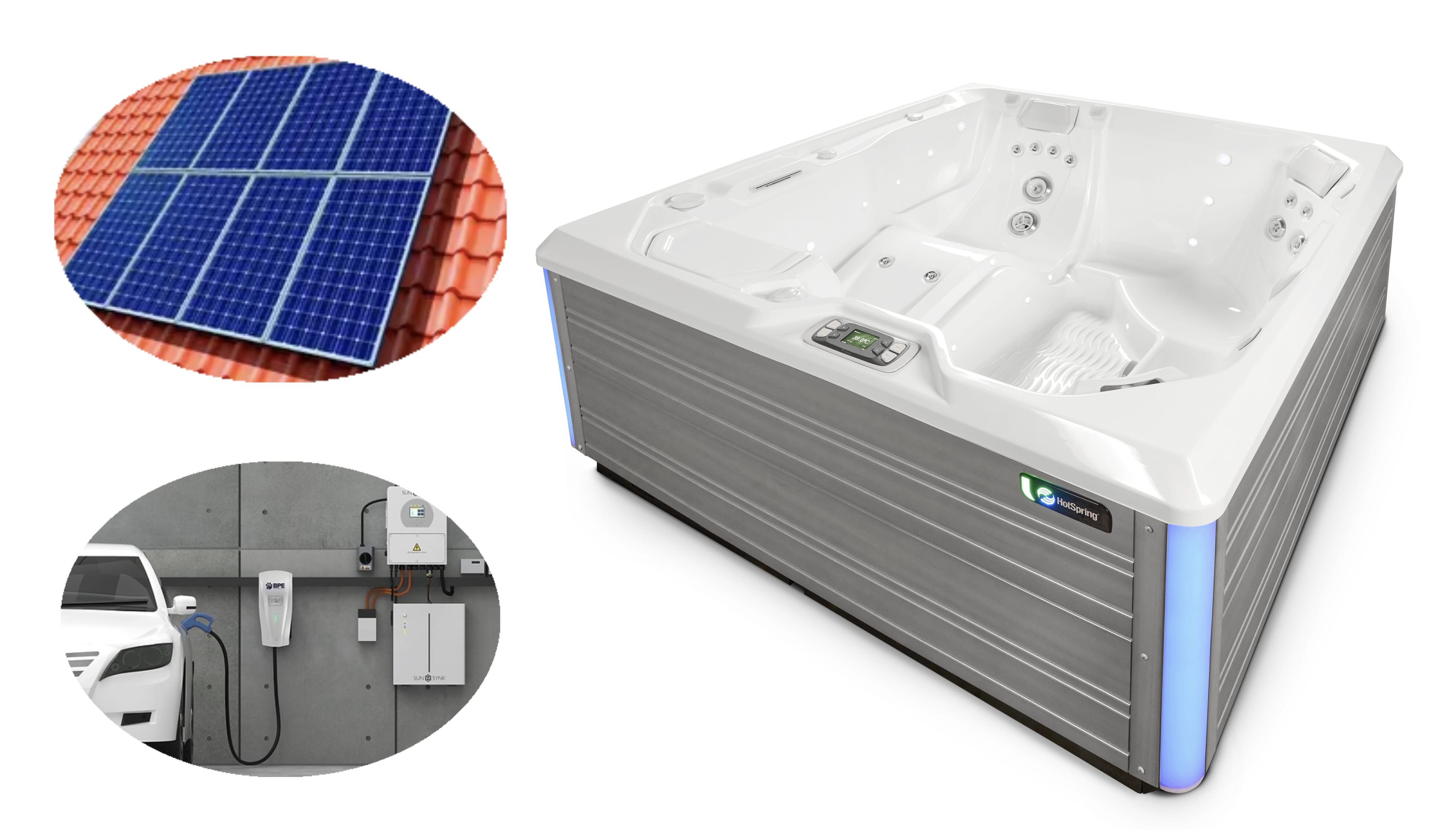
With energy costs remaining high in the UK, many homeowners are looking at investment in solar and battery storage to help save electricity costs. This investment in your home not only helps save money on your everday energy usage but allows products like hot tubs, saunas or swim spas to slot nicely into your home setup with very little impact on your costs. In this post, we are going to look specifically at Hot Spring Energy Saving mode and how this works very well in conjunction with your home solar panels, battery storage or electric vehicle tariffs.
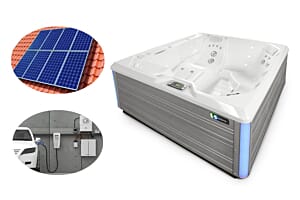
The Renewable Energy Ecosystem
In order to get the full benefit from Hot Spring Energy Saving Mode, you require one of the following in your home:
- Solar PV Panels - Solar panels that produce electricity for your home.
- Battery Storage - Stores excess solar for evening use. Can be charged cheap overnight with an electric vehicle tariff.
- Electric Vehicle (EV) Tariff - A special electricity plan designed for electric vehicle owners, offering significantly lower energy rates during specific off-peak hours (usually overnight) to reduce home charging costs.
If you have any of the above, then you will be able to tailor your hot tub settings with Energy Saving Mode to maximise electricity savings. If you aere lucky enough to have all three of the above then you will get the maximum benefit, not only for your hot tub but for your whole home.
Hot Spring Energy Saving Mode
What is Hot Spring Energy Saving Mode?
Energy Saving Mode is a built-in mode on all 2025+ Hot Spring Highlife or Limelight Collection hot tubs. In simple terms, it is a timer that allows you to select hours where the heater will NOT operate. This mode allows you to shut off the heater at two predetermined times of the day for up to 6 hours on each setting.
How to turn on Energy Saving Mode - Highlife Models
- First, ensure the time is correctly set in the settings menu (cog top left on screen).
- Select the temperature menu.
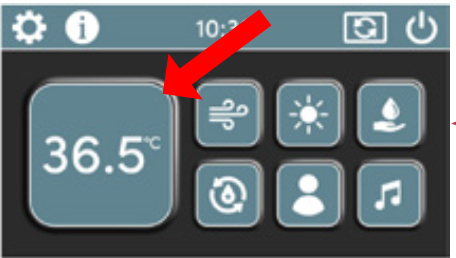
- Select the 'settings' cog on the temperature menu screen.
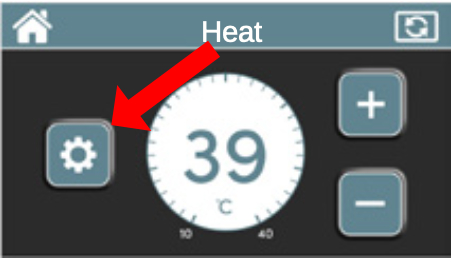
- Select Energy Saving Mode.
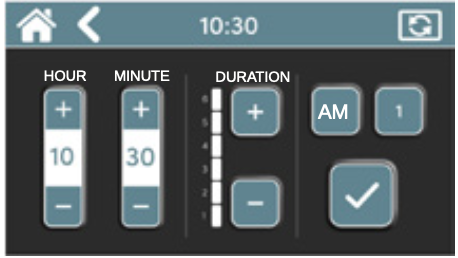
- Set the Time of day you want to shut the heater off. Set the hour and minute of the day by pressing the plus or minus buttons under Hour and Minute. Press the AM or PM (when clock is set up for 12 hour time). Set the Duration from 1 - 6 hours by pressing the plus or minus button under Duration. Press the tick button to activate the setting.
-
You can deactivate the setting by pressing the X or activate by pressing the tick. Press the HOME icon to go to the Home screen or the ARROW button to go back to the last screen.
NOTE: If a second setting is desired, press the 1 button to go to a second screen with a 2 on the button.
Repeat steps 1–5 above if a second time of day and duration setup is required.
NOTE: When selecting a second time of day, the time and duration CAN NOT overlap with the first setting.
How to turn on Energy Saving Mode - Limelight Models
- First, ensure the time is correctly set in the settings menu.
- Press the OPTIONS hard button. Press the soft button next to Setup. Press the soft button next to Energy Saving Mode.
- In this screen you can turn Mode 1 or Mode 2 ON or OFF by pressing the soft button next to that description. NOTE: When the mode is turned ON you cannot change the mode time.
- Press the soft button next to Change Mode 1 Time to set the Hour start time for Energy Saving Mode 1.
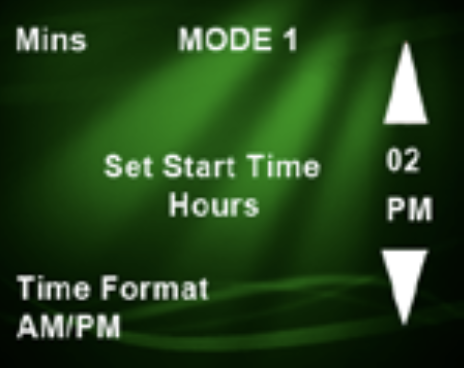
- Press the soft button next to ▲ to increase the hour or press the soft button next to ▼ to decrease the hour.
- Press the soft button next to Time Format (if your clock is set to 12 hour mode) to select AM or PM.
- Press the soft button next to Mins to take you to the Minutes screen. NOTE: You will need to go to the next screen to be able to save the time.
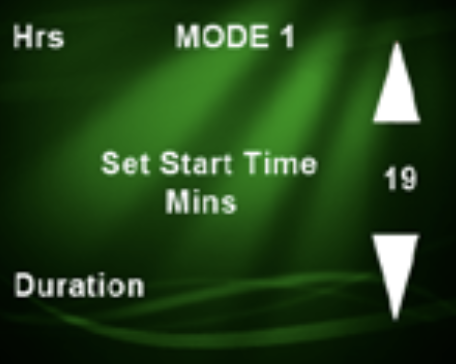
- Press the soft button next to ▲ to increase the Minutes or press the soft button next to ▼ to decrease the Minutes.
- Press the soft button next to Hrs to take you back to the Hour screen.
- Press the soft button next to Duration to set how many hours you would like the Energy Saving Mode to run.
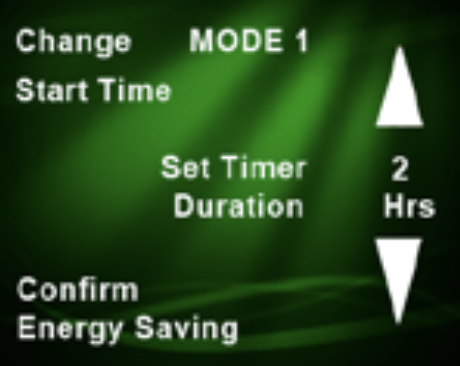
- Press the soft button next to ▲ to increase the Duration up to 6 hours maximum or press the soft button next to ▼ to decrease the Duration.
- Press the soft button next to Change Start Time to take you back to the Set Start Time Mins screen.
- Press the soft button next to Confirm Energy Saving to save the time and duration while bringing you back to the Main Energy Saving screen where you can set the MODE 2 times. NOTE: MODE 1 and MODE 2 can NOT overlap in time when turned ON.
Why Hot Spring Energy Saving Mode Works well with Solar, Battery Storage or EV Tariffs
The time where your hot tub consumes the most energy is when your heater is operating. By using Energy Saving mode and cutting off the heater at selected intervals, you can ensure the hot tub only heats during the periods you want it to. If you have the benefit or solar PV panels, battery storage and/or an EV tariff, you can use Energy Saving Mode to lower hot tub running costs significantly. It is worth noting that the energy efficiency of Hot Spring Highlife and Limelight hot tubs means they cost very little to operate anyway.
How to Use Energy Saving Mode with Solar PV Panels
With solar panels, it is important to try and prioritise heating the hot tub when UV is at its highest so using Energy Saving Mode to prevent heating during the night is the best way to appraoch this. Of course, the benefit is dependent on weather and seasonal but even during cold but sunny winter or autumn days, this setup will help reduce running costs. The insulation on a Hot Spring Spa is excellent so even when the heater is not operating, the temperature of the water will not drop significantly, espcially during warmer Seasons.
How to Use Energy Saving Mode with Battery Storage
If you own solar panels and battery storage, the benefit of this approach is that you will be able to use the cheap (or free) energy stored in your battery during times with less sunlight. This increases the energy savings you make.
How to Use Energy Saving Mode with an EV Tariff
With an EV tariff, you benefit from cheaper energy overnight. You can therefore prioritise heating your hot tub during the low rate period by using Energy Saving Mode to block heating during the peak rate periods.
Can any hot tub benefit from solar PV panels, battery storage or EV tariffs?
Yes! While the Energy Saving Mode from Hot Spring helps to increase the savings while using renewable energy, all hot tubs would benefit from having these products at your home.
Are Hot Tub Heat Pumps worth it?
Heat pumps are a very efficient way to heat your hot tub. The payback and cost/benefit analysis should always focus on the bigger picture. Is it worth investing £2,000 to £3,000 specifically on heating your hot tub? Or is that money better invested into your whole home energy infrastructure? Of course that decision depends on lots of factors but with a well-insulated and energy efficient hot tub like a Hot Spring, we feel the need to add an alternative heating method like a heat pump is not such a priority.